Kasper
CEO
·

RELEASE · 22 AUGUST 2026
We’ve been busy all summer.
Calqi 3.0 is live, and it is the most stable and mature version of Calqi so far. The specifications editor now holds its shape, the measurement table gets out of your way, and copy paste does exactly what you expect.

A new Calqi, in light or darkEvery screen has been redrawn: the dashboard, projects, templates, contacts and settings. Cleaner surfaces, more room for the document itself, and a consistent layout from one screen to the next. |  |
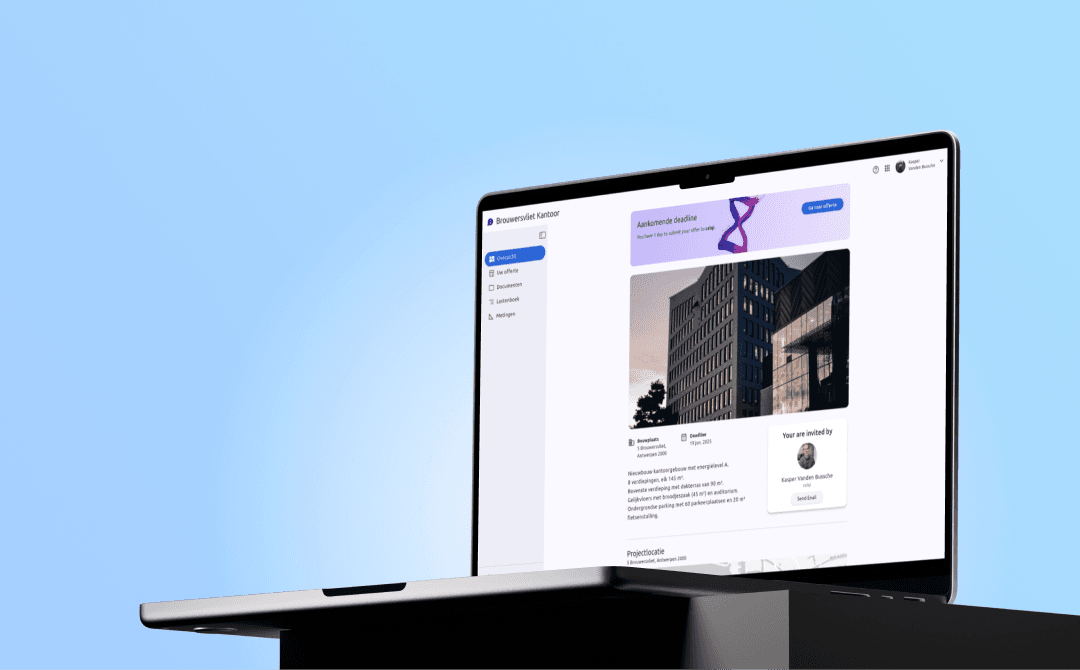
 | A clearer place to start every projectProject Overview replaces the old project Settings tab and puts the project information, team and requests for quotes in one place. |
Try Calqi before you commitArchitects and contractors can now create their own account and start a limited free trial straight from the login page. The setup begins by asking which role best describes you, then adapts from there. |  |
The editor, copy paste and the bill of quantities
Three areas you touch every day, rebuilt around the reports you sent us.
A specifications editor that holds its shapeHeadings, lists and tables no longer disappear while you edit. The page no longer jumps while you scroll or type in a long article, and the three dot menu now brings article actions and labels into one place. |  |
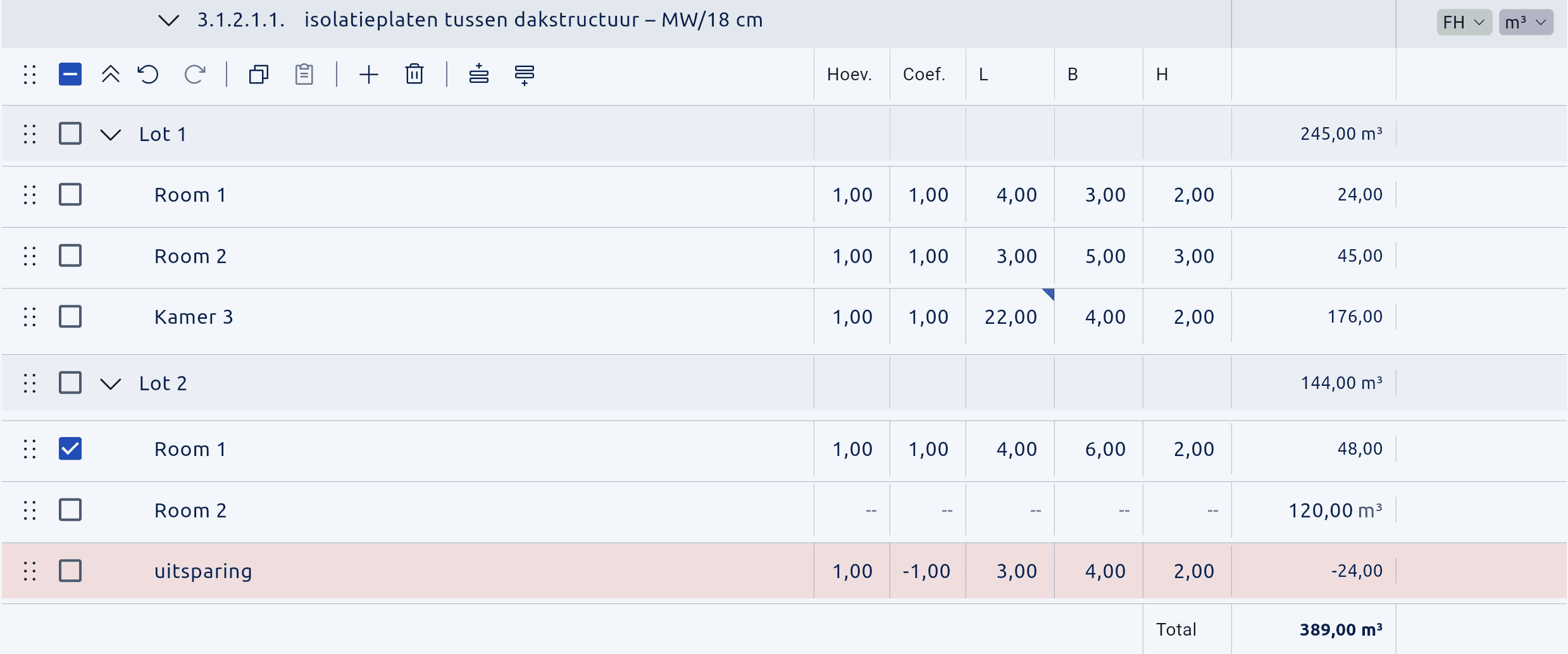 | Copy paste, rebuiltArticle descriptions keep their formatting when copied. Measurement lines land exactly where you put them: tick a target row and the pasted lines appear directly below it, in order and with their indentation intact. |
The bill of quantities gets out of your wayShow or hide detailed measurements to review the whole article structure with each total on its own row. Rename measurement columns for your whole account, and carry both short and long names through to Excel. |  |
 | Custom labelsColour coded labels now work on articles and measurement lines. Apply one from the article menu, create a new one in place, or manage your full set in Settings. |
Pricing and comparing offers, redesigned
Spreadsheet-style price entry, a more compact comparison table, keyboard-first navigation, and notes that can stay private to your office or shared with the contractor.

Your contractors can see what is waiting on themOffers are grouped by state, with a count on each group, so the first thing a contractor sees is what still needs a response. Every card carries its deadline and status, and a missed deadline is called out in red. | 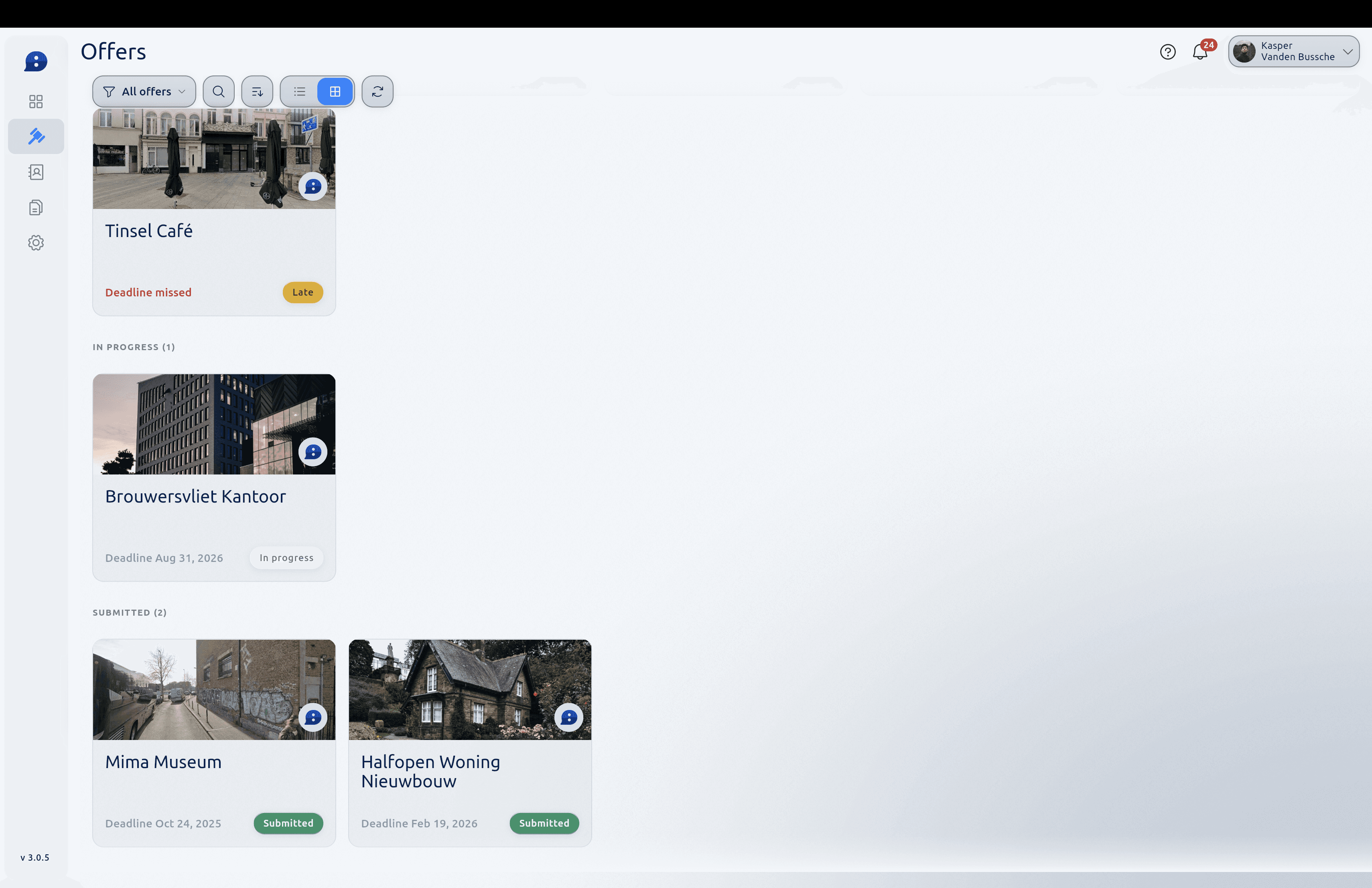 |
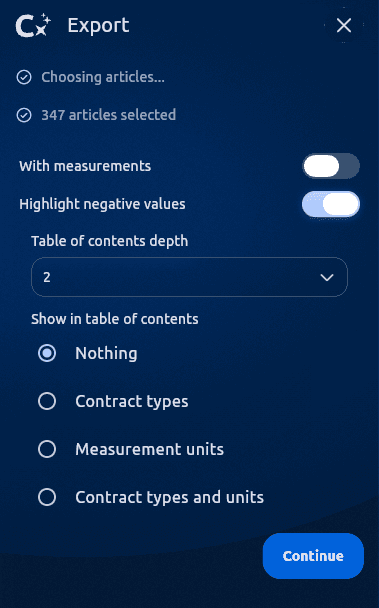 | Exports, and working outside BelgiumTable of contents depth is configurable, and project exports now match the right structure and chapter titles. Address autocomplete covers Belgium, the Netherlands, France, Germany and Luxembourg, with country-aware VAT choices. |
One more thing, and it is a preview of where we are going
We are building a standalone Calqi app for contractors: a real tool for all their offers, including offers for architects who are not on Calqi yet. Calqi 3.0 is the foundation that makes that next step possible.
Around a hundred improvements, and most of them started as a message from one of you. If something in Calqi still gets in your way, tell us. There is a good chance it ends up in the next one of these posts.
The Calqi team
See Calqi in your work.