Automatic Numbering and Corporate Identity Colors in Specifications
Automatic Numbering and Corporate Identity Colors in Specifications

Kasper
CEO
App Updates

New: Automatic numbering and branding colors!
19 December 2024
Automatic numbering for specifications
From now on, you can have your project specifications numbered automatically. This means that chapters from different types of specifications that you add to your project will be automatically numbered sequentially. Waste less time on manual numbering and focus more on your project!
See below how it works:
2. Personalize specifications with your corporate identity
With this update, you can now set your corporate identity colors and use them in the text editor of the specifications document. This allows you to create specifications documents that perfectly align with your agency's branding.
1. Set your branding colors
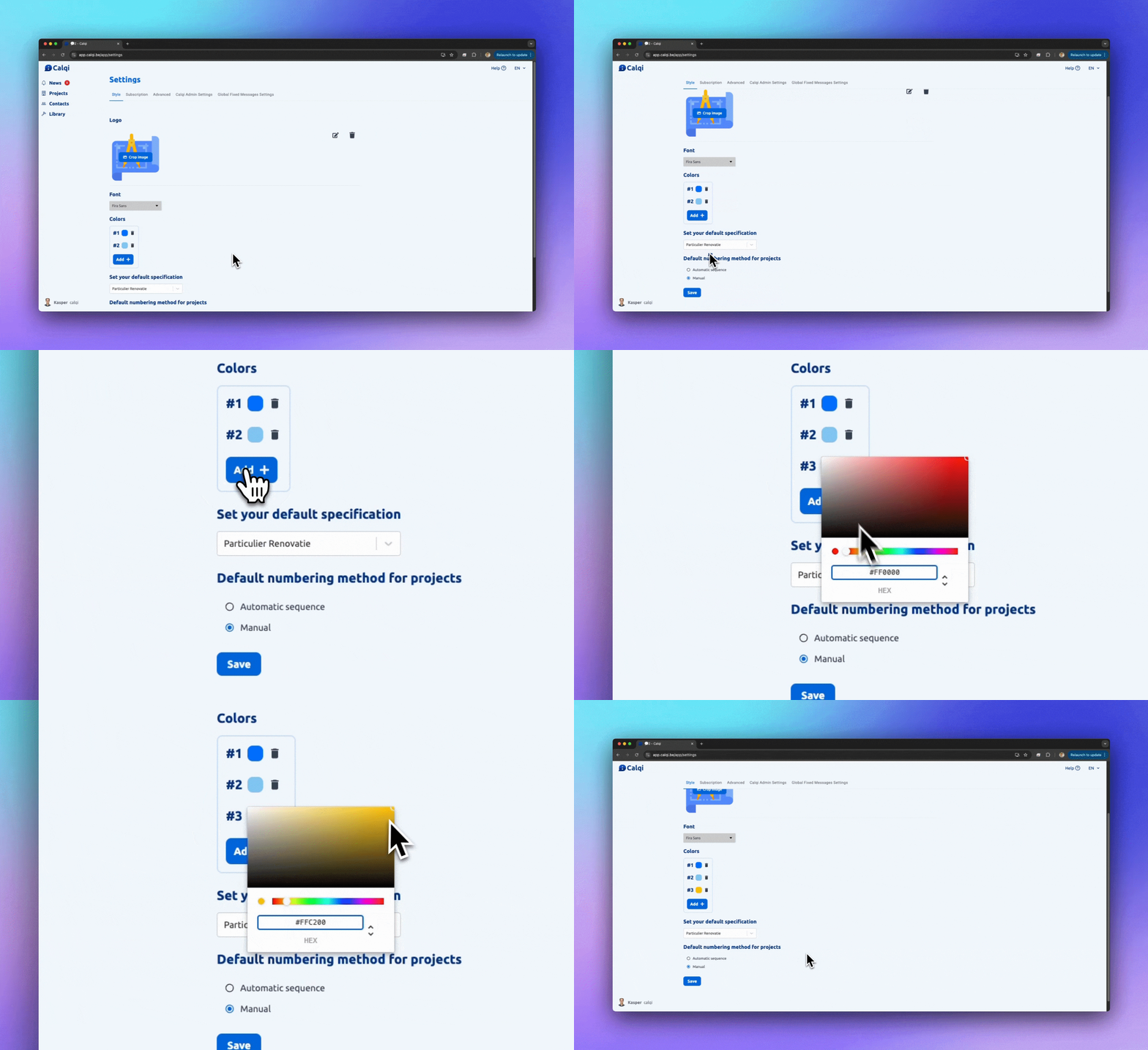
2. Use them in your specifications
Other improvements and bug fixes
We have also worked on a number of frequently requested improvements and fixed bugs:
Export order: A bug where the export order was incorrect has now been fixed.
Resolved issues with buttons and functionalities for contractors: Contractors were unable to send an automated message. This issue has now been resolved.
Error message when duplicating articles: No more error messages when duplicating articles.
Symbols such as '=' and '+' in Excel export: Symbols no longer cause export problems.
Sometimes an error message when submitting a quote: This has now been resolved.
Do you like the progress, or do you have any comments? Let us know in the in-app chat!